Clean contractor messaging without the phone chaos.
Route text messages, subcontractor calendars, and no-login client portals straight into a unified project feed.
Route text messages, subcontractor calendars, and no-login client portals straight into a unified project feed.
Every trade we worked with had to text us to find out where they were going.
For years, the entire history of a job lived on Travis's phone. Schedule changes, change orders, whether the tile ever got ordered — all of it in text threads on one device. If a trade needed to know anything, he went through one of us.
So we got the texts. Are we on for tomorrow? What time? Is the drywall done yet? One of our trades showed up to a job a full day early and called to ask where we were. We got lucky — he hadn't booked the next day yet, or our whole schedule would have moved.
Here's what I noticed about every platform we tried: they are all built to make the homeowner feel informed. The client portal, the progress photos, the approval flow — that's where the effort goes. None of them were built to keep the trades informed. A sub gets a notification. He doesn't get to see his week.
That's backwards. The trades are the people who decide whether a job actually happens on time.
Give your clients and trades total clarity with zero password friction.
Stop troubleshooting login issues for old-school subcontractors or frustrated homeowners. Send them a secure, private magic link via text or email that opens their dashboard instantly in one tap.
Homeowners can securely view their active remodeling timeline, sign estimates, pay invoices, and review change orders from any device.
Trade partners can view their specific project dates securely, or easily add a subscribed iCal feed directly into their native Apple Calendar or Google Calendar app.
Trade partners upload their W-9 and insurance COIs to their portal, then land on their own dashboard showing every project, appointment, and PO they're on. You track document expiration dates from your side so no subcontractor rolls onto a job with lapsed coverage.
You get a fully connected company platform without having to play tech support on a busy Monday morning.
Keep your personal cell phone number private and your paperwork organized.
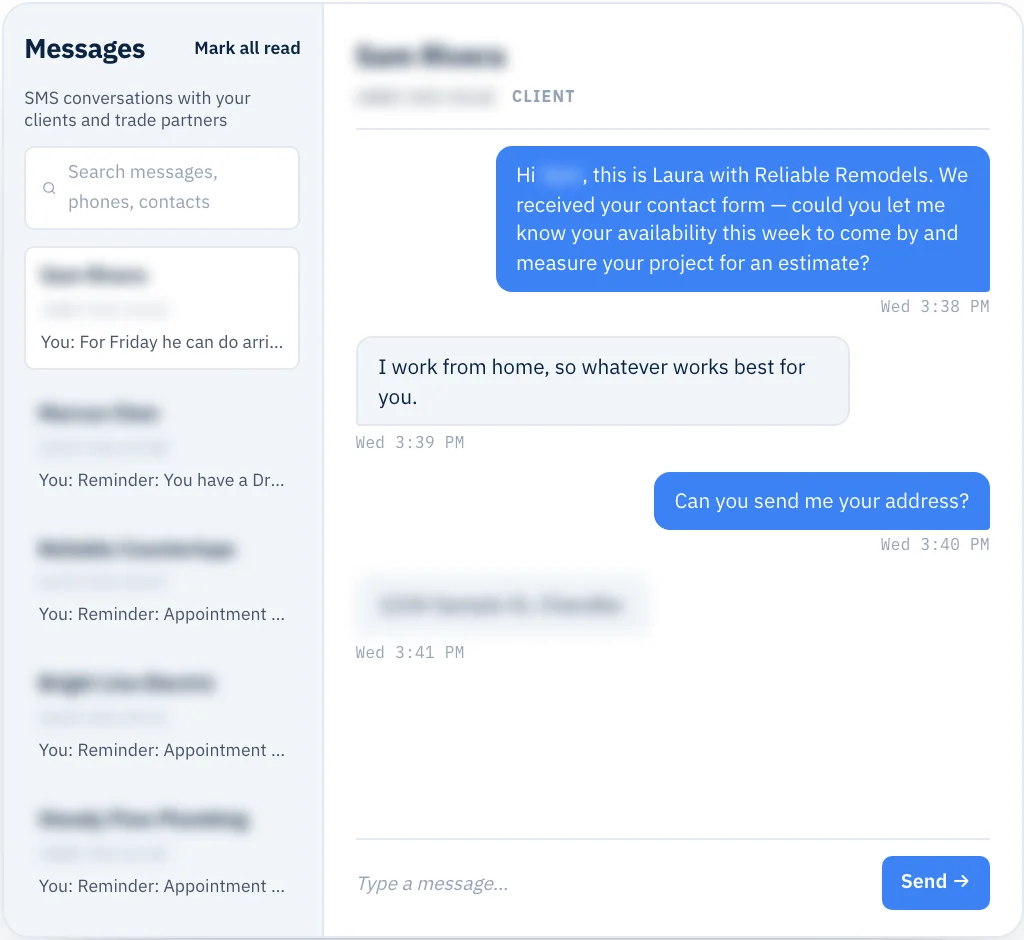
Keep using your normal texting habits, but let the software automatically organize the history so you never have to scroll through months of personal messages to find a change-order approval.
See How Two-Way SMS Messaging Works →Capture 5-star Google reviews on autopilot the moment a job hits 100%.
Stop leaving 5-star Google reviews on the table just because you were too busy jumping into the next demo day to text the client.
See Automated Review Requests →Know the exact second a document is opened or an appointment is confirmed.
Every view, every confirm, every silent lead surfaces on the same running feed — so you follow up while the details are still fresh on their screen, not two weeks after the interest cooled.
Learn About Live Activity Trackers →Every piece above is in every MY LAURA account on day one. Not a Pro tier. Not an add-on. Not metered by user count.
Unlimited team. Unlimited trade partners. Unlimited clients. One price.
Start free trial →Absolutely not. Because MY LAURA runs on a flat-rate pricing model with unlimited everything, you can invite as many trade partners, crew members, and homeowners as you want without ever seeing a per-user software bill.
The message appears directly on your main messaging page as an unassigned number. You can read it immediately, reply in real time, and manually link the thread to any active lead or project folder in your CRM.
You simply paste your company's direct Google Review link into your central settings dashboard. When a project is marked complete, the system securely deploys optimized, professional follow-up prompts via SMS and email for you.
When the client signs, when the sub confirms, when the invoice goes out — the record lives on the project, not on somebody's phone. The next question is what those signed change orders and paid invoices are doing to your margin.
See how the finance side keeps up